Customer Login
Latest Blog
Contact Us
Learn more about what Atech MSP can do for your business.
Atech MSP
3434 Truxtun Ave Suite 250
Bakersfield, California 93301


If you manage a business, you probably have a list of baseline security measures you check off regularly. You have firewalls, you use antivirus software, and you require your team to use strong passwords.
If those are the only lines of defense you rely on, however, you are missing the single most critical layer of data security available to your organization.
We need to talk about encryption. It is not just for global financial institutions or government agencies anymore. It is a fundamental operational requirement for every business.
We have all used spreadsheets to track ongoing projects, daily to-do lists, or department inventory. That said, manually typing "Yes," "No," or highlighting cells in green to mark that a task is finished gets cluttered fast.
Adding interactive checkboxes to your sheets instead gives you an instant, visual way to keep your workload organized.
Microsoft is officially pulling the plug on Publisher on October 13, 2026. This “End of Life” event officially marks the end of support for the long-running desktop publisher.
If your team relies on Microsoft Publisher to create flyers, brochures, or newsletters, this retirement will impact your business. Understanding what this change means—and taking a few proactive steps today—will keep your network secure and prevent your design files from becoming inaccessible.
When a small business starts out, file sharing usually happens organically through email attachments, personal cloud drives, and quick chat links. While that gets work done in the beginning, scaling a business on unmanaged file habits creates serious operational snarls and major security vulnerabilities down the line.
Modern cybercriminals have modified their attack methodologies. Rather than immediately encrypting production servers, sophisticated network intruders quietly target secondary file archives first to prevent organizations from performing independent data restoration. If your enterprise data protection configuration permits the modification or erasure of backup logs, a security incident can result in the permanent destruction of your operational records and force costly operational downtime.
Let’s face it—most of us spend a massive chunk of our workday just swimming through an endless sea of emails. It feels like every time you clear three messages out of your inbox, five more pop up to take their place.
The real killer isn't just the sheer volume of mail, though. It’s the constant, repetitive mechanical drag of using your mouse to click around the screen. Clicking folders, hunting for the reply button, navigating back and forth between your inbox and your calendar—it all adds up.
Ransomware operations have matured into highly structured, sophisticated criminal enterprises. Data from global security incidents demonstrates that the vast majority of network compromises do not stem from complex, novel exploits. Instead, they occur due to basic operational gaps: unpatched software vulnerabilities, misconfigured network ports, or compromised user credentials. Once an unauthorized actor establishes a footprint within a network, they routinely spend days mapping corporate data and identifying connected systems before executing any encryption routines.
Picture pouring a bucket of water down a standard kitchen funnel. If you pour slowly, a drop at a time, the water flows smoothly through the narrow spout, but if you tip the bucket all at once, the water backs up, pools at the top, and eventually spills over the edges. For years, the Virtual Private Network (VPN) served as the corporate equivalent of that narrow funnel spout. It was designed for an era when data volume was small and entirely centralized—meaning all of a company's valuable digital assets lived inside a single, physical office server room.
A remote worker turned on their VPN, established a single encrypted tunnel back to the office firewall, and gained broad access to the local network.
Password protection alone is no longer enough to keep your business data safe from modern cyber threats. Hackers use automated tools to guess weak credentials, and data breaches frequently expose corporate passwords online. If an unauthorized individual obtains login credentials for your company email or financial accounts, they can compromise your operations instantly.
Implementing multiple layers of verification is the most effective way to prevent unauthorized access and protect your assets.
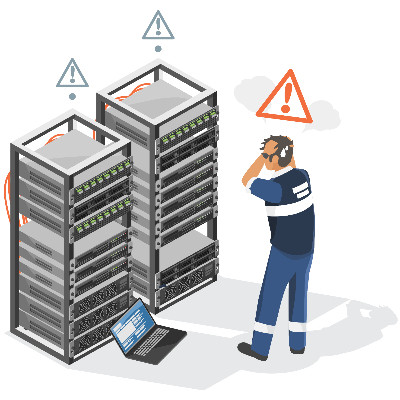
Unexpected computer issues disrupt your daily workplace momentum. When a critical network system or workstation fails, your team cannot serve clients, complete projects, or access vital data. These sudden pauses lower overall workplace productivity and create stressful environments for your management team.
While this all seems obvious enough on the surface, most administrative staff lack the training to identify the subtle warning signs of an impending technical failure. As a result, businesses often find themselves reacting to major breakdowns rather than maintaining a steady workflow.
When an operational bottleneck pops up in a business process, the default reaction for most decision-makers is to research new software tools and buy another subscription. You do NOT need to spend a single extra dollar to solve your latest workflow headache. Sometimes getting the most out of your technology investment just means using the capabilities you already have in a better, more effective way.
Most offices already pay a monthly license fee for either Microsoft 365 or Google Workspace. Those licenses usually get purchased so the team can have professional email, access to spreadsheets, and a place to write documents. What many decision-makers miss is that these platforms are massive ecosystems designed to run entire workflows.
Business technology rarely fails in a sudden, catastrophic explosion. Most of the time, computers and networks do not experience a complete blackout without warning. Instead, systems undergo a slow, steady decline in performance that chips away at your ability to be productive over time.
Hardware and software components lose efficiency incrementally. A laptop that used to boot up in forty seconds starts taking four minutes. A business application takes an extra couple of seconds to save a file. Since these changes happen gradually, employees adapt to the slowness rather than reporting a major issue. It’s the path of least resistance for them.
Making money is the name of the game for every business. Because of that, determining exactly how much to spend on technology every month is a critical decision. Every dollar going out the door needs to justify its existence, yet tech budgets are often a source of confusion for business owners.
Let's pull back the curtain on what a healthy, realistic technology spend looks like for a small-to-medium business.
Hardware slowdowns, software lag, and cybersecurity alerts are common business challenges. The standard response is to spend excessively on upgrades by purchasing new laptops, premium cloud tiers, and additional software licenses.
Adding technology increases operational complexity, user frustration, and security vulnerabilities. Sustainable IT infrastructure requires maximizing existing tools, implementing proper security protocols, and aligning technology with staff workflows.
There’s a misconception out there that younger workers, particularly Millennials and Gen Z, are more proficient with their technology compared to other generations. While they might have grown up using it, this experience doesn’t necessarily translate to proficiency. Assuming any one age group is more aware of cybersecurity is perhaps one of the most costly assumptions you can make.
According to an annual outage analysis from the Uptime Institute, power failures dominate corporate infrastructure disruptions, accounting for 45% of highly impactful outages. This is especially true within distributed edge IT environments like retail storefronts, logistics hubs, and satellite offices.
When a server or a critical networking component loses power without a controlled, graceful shutdown sequence, the operational losses are severe. Without an orderly shutdown, infrastructure components face specific risks. We’re talking about fried motherboard circuitry, storage degradation, and outright database corruption.
Modern business technology provides immense capabilities, but it also introduces constant digital distractions. Office workers deal with frequent micro-interruptions throughout the day from email alerts, internal chats, and automated software notifications. This continuous friction breaks concentration and significantly reduces the time available for deep, productive work.
Resolving this inefficiency does not require purchasing expensive new project management software. Instead, business owners and employees can optimize the configuration of the technology they already have to maximize daily productivity.
The promise of cloud platforms, where the provider handles most of the work, is incredibly enticing. After all, why wouldn’t you want to move your data to the cloud, where you don’t have to worry about backups, security, or server crashes? This perspective also makes it sound like your business is off the hook, but this is not necessarily the case.
This is why you need to review the terms and conditions of your cloud provider’s services before you make any assumptions as to what’s covered and what’s not by your service level agreement. Today, we want to cover some of the misconceptions that frequently pop up with cloud services so you can make better decisions moving forward.
Learn more about what Atech MSP can do for your business.
Atech MSP
3434 Truxtun Ave Suite 250
Bakersfield, California 93301